Create and Manage Listings
Last updated: November 7, 2026
What this is
Your listings are your shop window on Audyence. When advertisers and agencies compare bids and choose publishers, they see your listing: your audience description, reach, company details, and logo. A complete, accurate listing directly improves your chances of winning allocations.
Key takeaway: Create a listing in Manage Listings → Add listing. It's visible to buyers right away. Then click the listing to build out its Spotlight page: a media kit (Achiever and Earner), plus videos and resources (Earner). Preview it before buyers see it.
What is a listing?
A listing represents one of your audience properties or content brands on Audyence. If you have several distinct audience properties (for example, separate content brands or different industries), you can create separate listings.
Buyers see listings in two places:
RFP and proposal review: when a buyer evaluates your bid, they see your listing next to your pricing and volume commitment.
Private Marketplace: buyers browsing sellers can find and review your listings before sending an RFP.
Plan | Listings included |
|---|---|
Starter | 1 listing |
Achiever | 1 listing |
Earner | 5 listings |
Create a listing
Go to Manage Listings in your account settings.
Click Add listing.
Fill in the listing details (see the fields below).
Save the listing.
Note: Your new listing is visible to buyers on the platform right away.
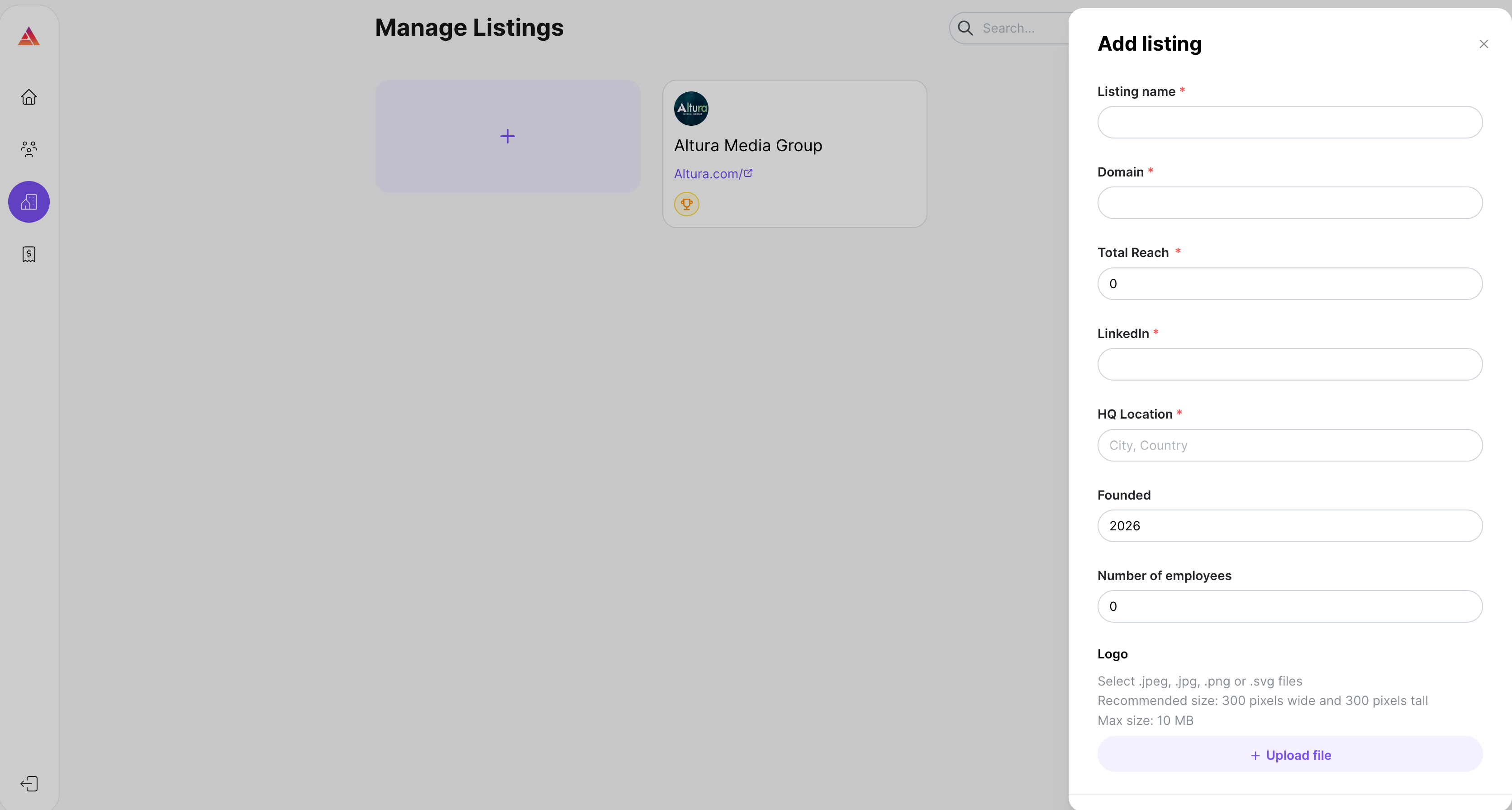
Listing fields
Field | Description |
|---|---|
Listing name | The display name for this listing. |
About | What this listing covers, its content focus, and why it's valuable to advertisers. Be specific about who you reach and how. |
Logo | Your brand logo. |
Total Reach | The total size of the audience you can reach with this listing. Be accurate: overstating reach hurts your credibility when delivery falls short. |
Your company or brand LinkedIn URL. Buyers use it to check your organization. | |
HQ Location | Your headquarters city and country. |
Founded | The year your organization or content brand started. |
Number of employees | Total headcount at your organization. |
Complete your Spotlight page
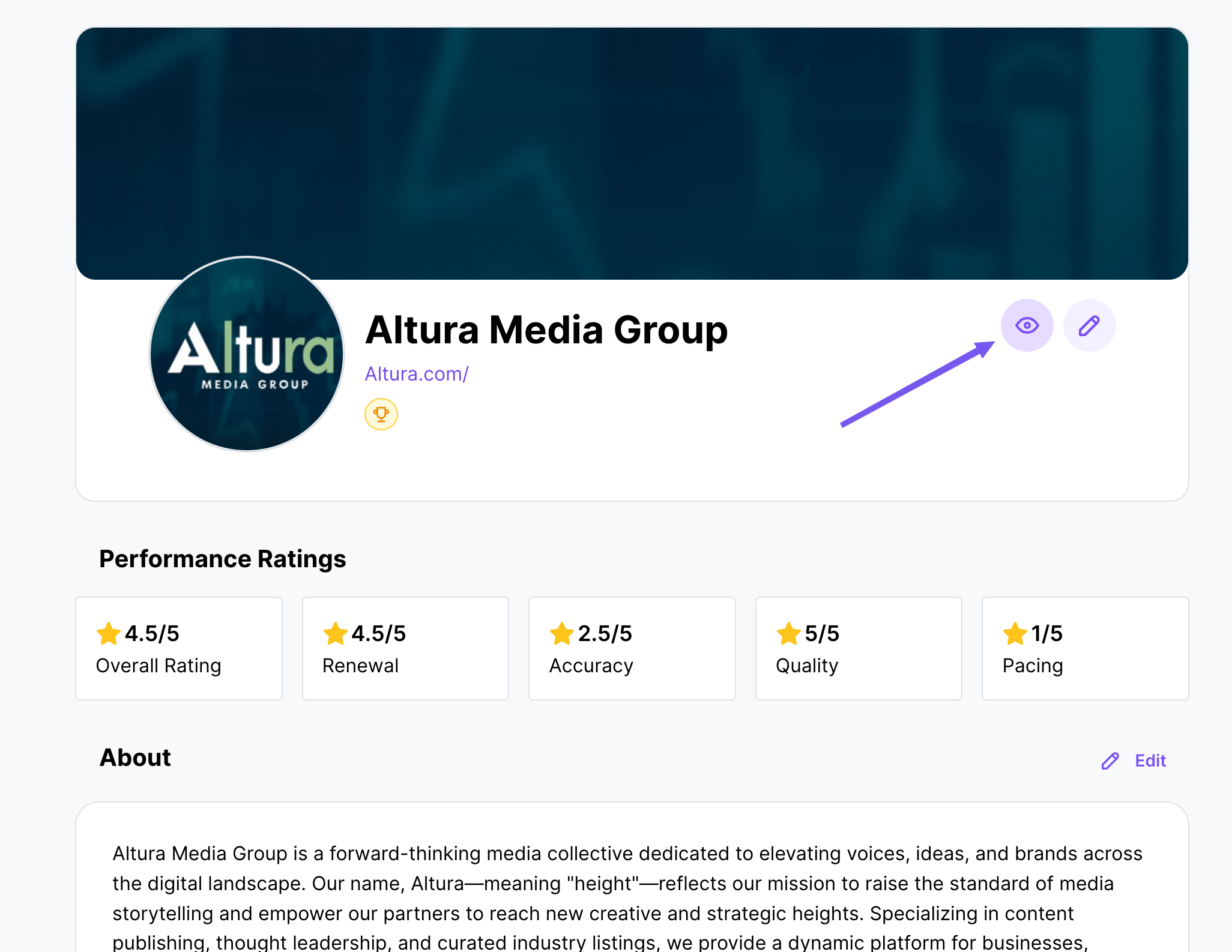
Your Spotlight page is the full profile buyers see for each listing. Click a listing in Manage Listings to open and edit its Spotlight page.
Media kit
Important: Available on the Achiever and Earner plans.
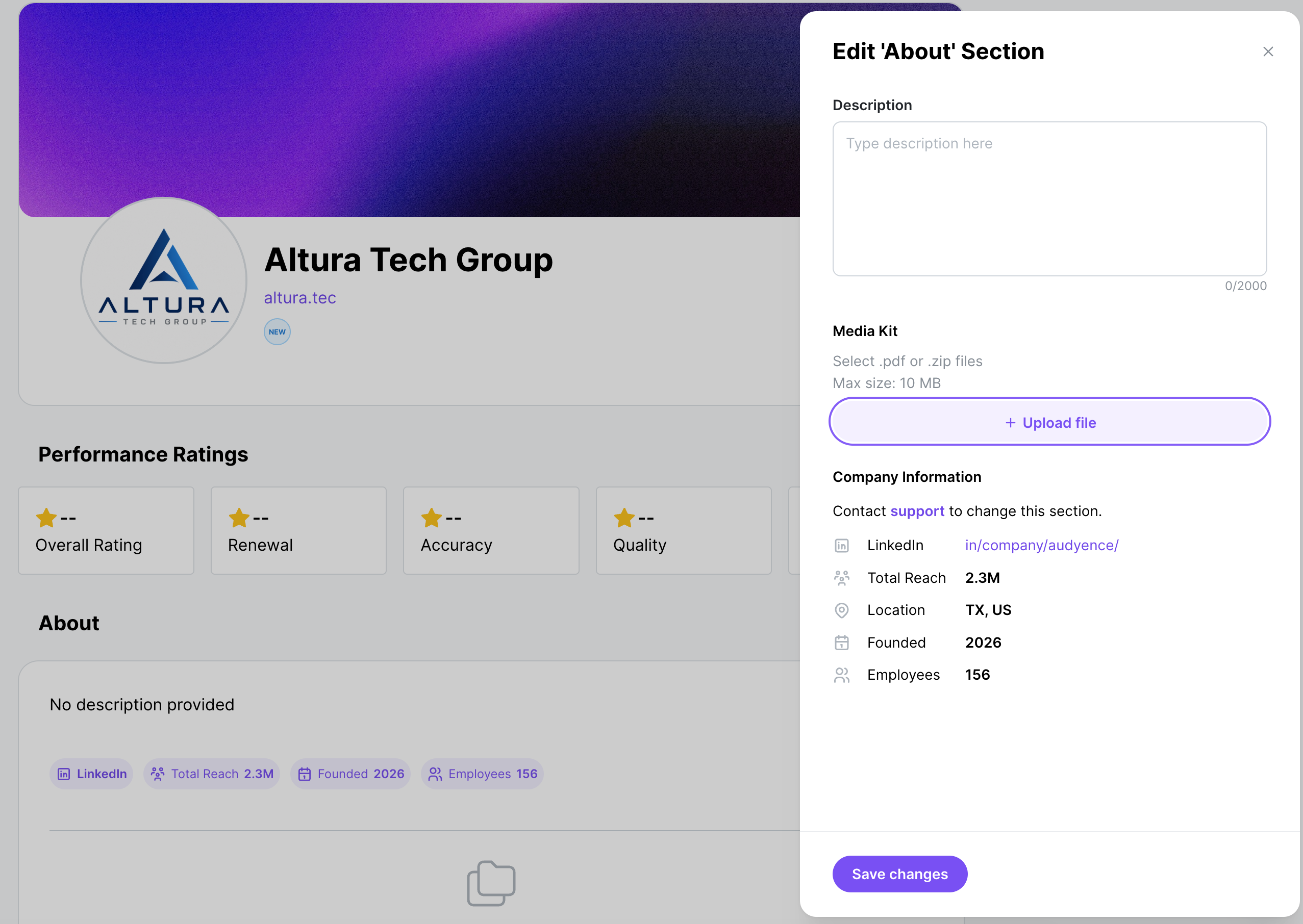
Upload one PDF media kit for this listing. It gives buyers more detail about your audience data, content formats, pricing approach, and past campaign results.
Click Edit in the About section.
Click +Upload file in the edit panel on the right.
Video
Available on the Earner plan. Up to 10 videos per listing.
Video testimonials and content samples show buyers how engaged your audience is and the quality of your content.
Click Manage in the Videos section.
Click +Upload file in the edit panel on the right.
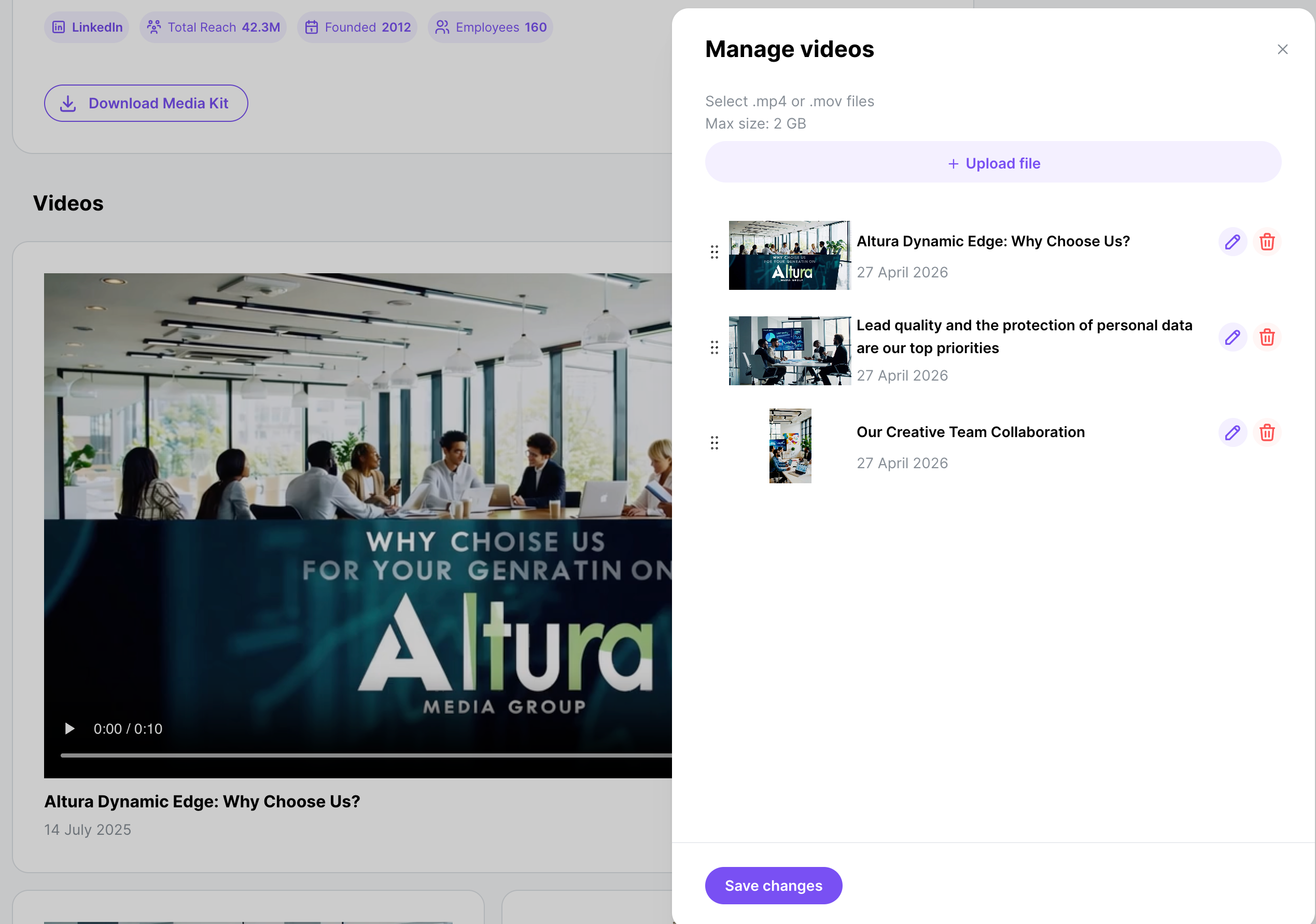
Important: Supported formats: MP4, MOV. Maximum file size: 2GB per video. Each video needs a summary (it defaults to the file name). You can upload, rename, reorder, and delete videos from the Spotlight page.
Resources
Available on the Earner plan. Up to 10 resources per listing.
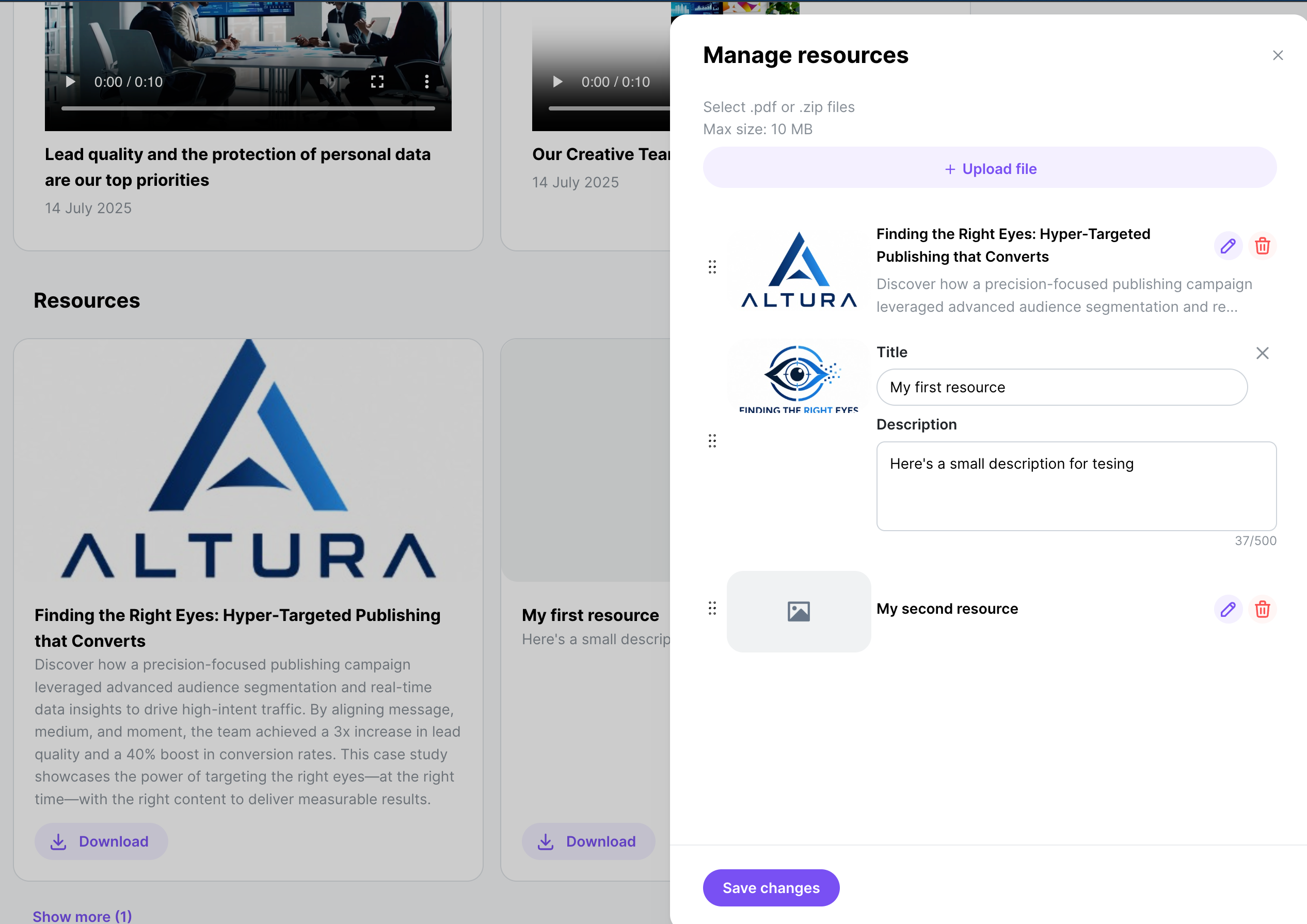
Resources are PDF files you attach to a listing with a summary and description: case studies, research reports, audience data sheets, or sample campaign results. Each resource needs:
File: PDF format.
Summary: a short title or label (defaults to the file name if left blank).
Description: a short explanation of what's in it and why it matters to buyers.
You can upload, rename, reorder, and delete resources from the Spotlight page.
Preview your Spotlight page
You can preview your Spotlight page before buyers see it. Use the preview to check that every section looks complete and accurate from a buyer's point of view.
Tips for a strong listing
Be specific in your About description. Buyers match against very specific targeting (job function, seniority, industry, geography). Tell them directly which groups you reach well, and how.
Use accurate reach numbers. Accurate numbers build trust over time. An inflated audience size is easy to spot when delivery comes in short.
Upload a media kit. Buyers comparing publishers look for proof. A well-organized media kit with audience data and past results puts you ahead of publishers with bare profiles.
Use separate listings for separate properties. A focused listing with a focused reach number is easier for a buyer to judge than a blended pitch across several brands.