Release Apr 25, 2024
Last updated: November 7, 2026
What this is
Release notes for April 25, 2024. This release adds lead pacing, a pacing panel on the Lead Delivery screen, mid-campaign changes by buyers, new proposal fields and campaign cancellation.
Key takeaway: Buyers can now pick Near Real-Time or Weekly pacing and change delivery options or assets mid-campaign (you're emailed each time). Proposals have two new required fields: Max leads avails and CPL for total avails.
Note: This note describes the platform on April 25, 2024. Pricing has since moved to cost per engagement (CPE) for multi-touch campaigns. For current steps, see End-to-end lead delivery.
Why these changes
These features aim to:
show you where you stand against the advertiser's pacing expectations
remove offline friction mid-campaign, so campaigns run and deliver more smoothly
let you show you can scale beyond one campaign's budget, for future campaigns with the same or similar audiences
tell you, through a campaign status, if a planned campaign is cancelled before go-live (this is rare), with any reason the advertiser gave
Lead pacing
Buyers can now choose Near Real-Time or Weekly pacing.
Near Real-Time: upload leads as soon as you have them, just as before.
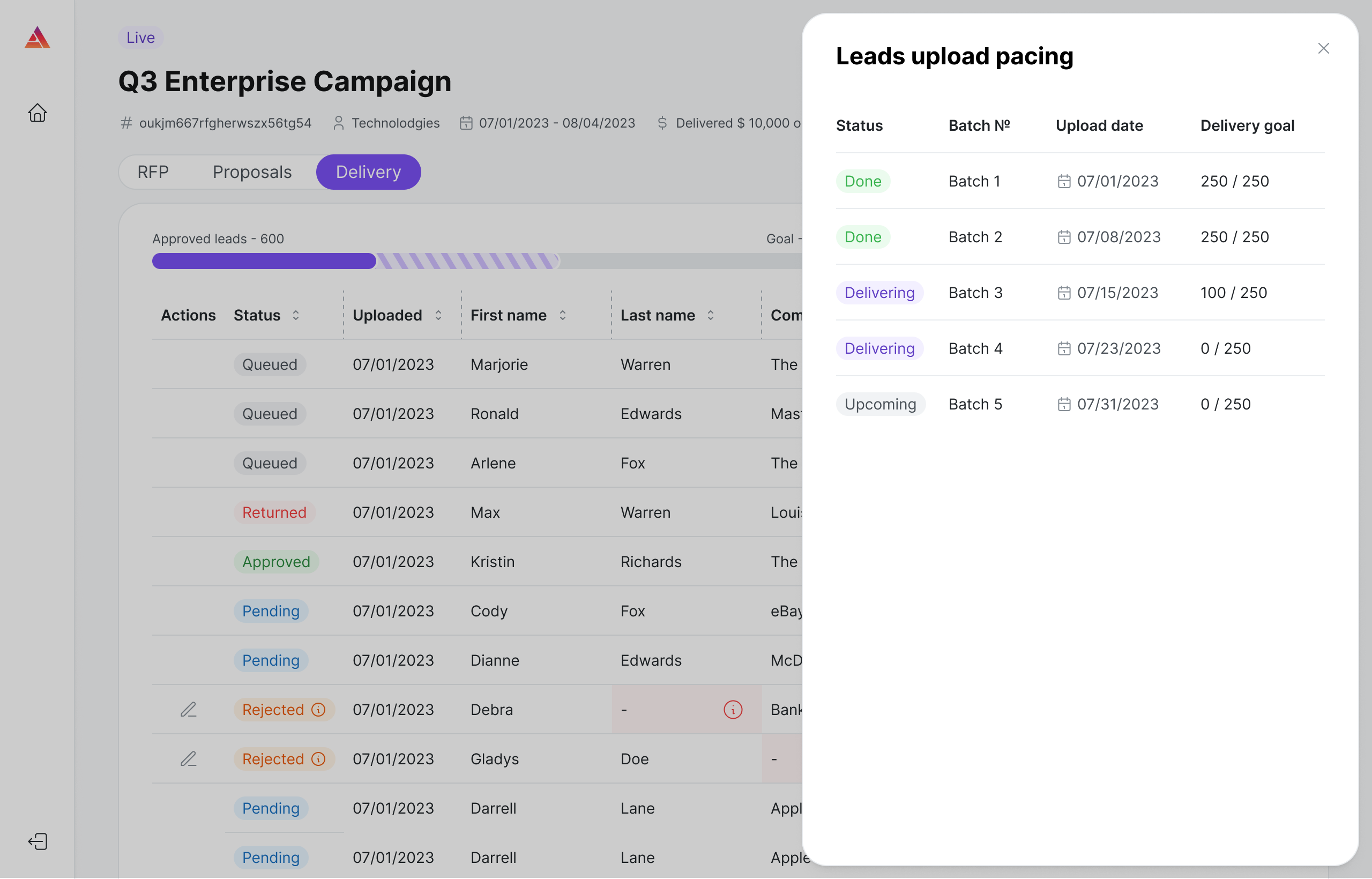
Weekly: limits the number of leads per weekly batch and sets the day leads can be sent.
Tip: You can upload more leads in a file than the batch limit allows. The extra leads are queued and processed when leads are returned or at the start of the next batch date.
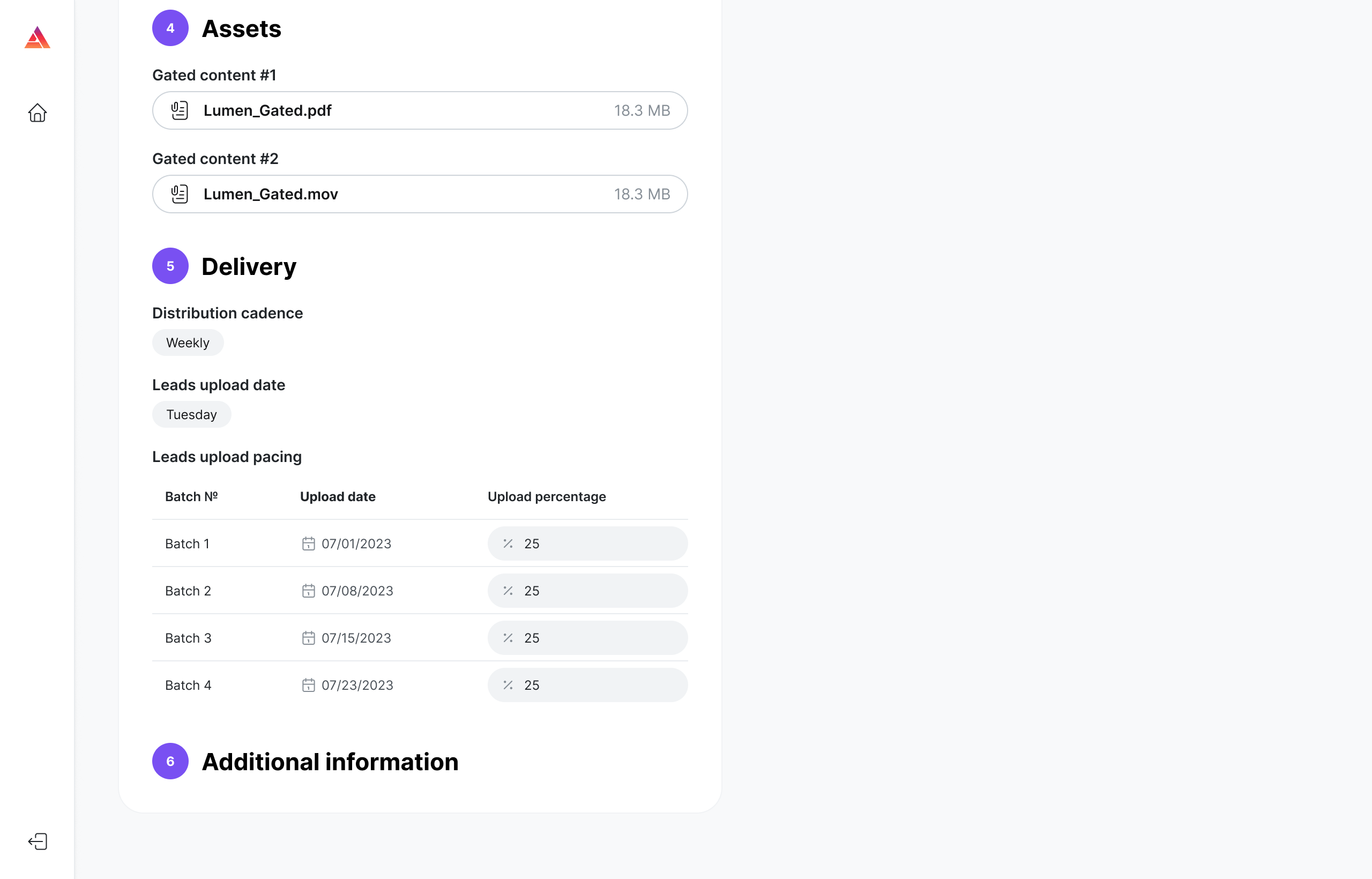
Lead Delivery screen: pacing panel
If the campaign uses weekly pacing, use the Leads upload pacing panel to track the pacing schedule and progress in real time and stay on top of upload dates.
Mid-campaign changes
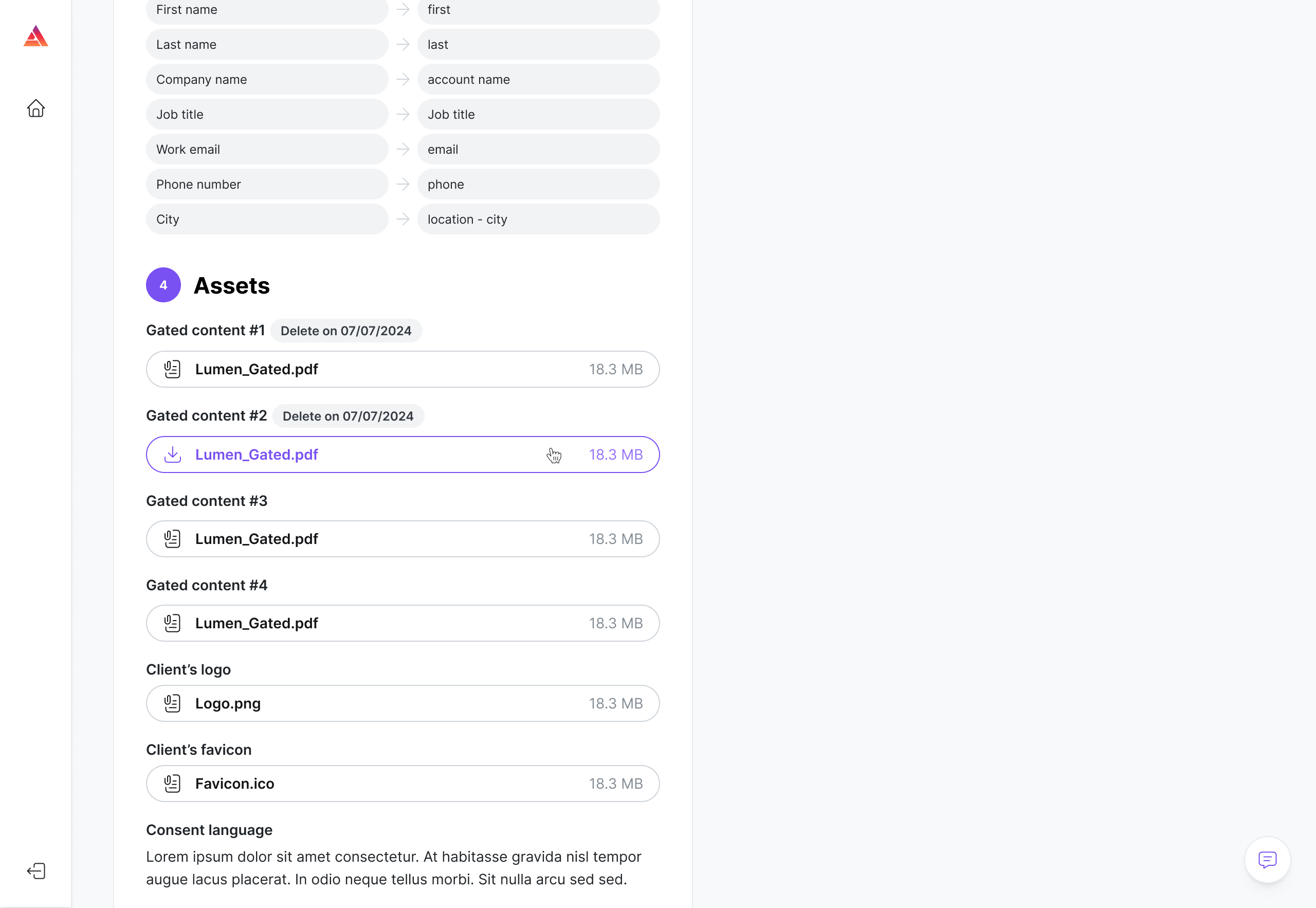
Buyers can now change delivery options and assets during a campaign.
Delivery options can include flight dates, delivery cadence, lead upload date and pacing schedule.
Assets that can change include gated content, logo, favicon and consent.
You get an email right away for any change. Details appear in the RFP tab.
Warning: When the gated asset changes, you get a set time window to upload leads that engaged with the original asset. After that window ends, every lead you upload must have engaged with the new asset.
Proposal screen changes
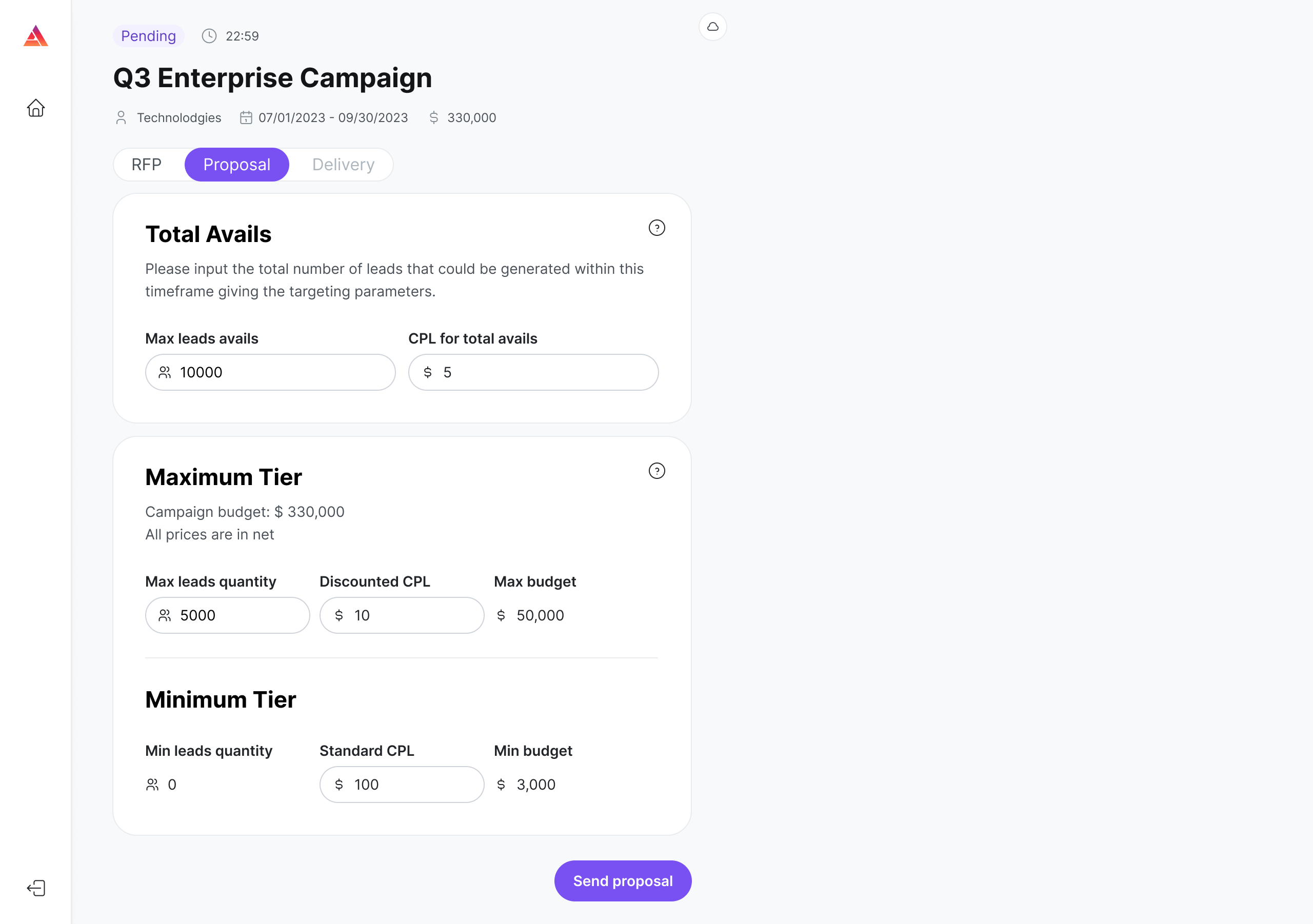
Two new fields are added to proposals:
Max leads avails: the total number of leads you could generate within the campaign's timeframe and targeting
CPL for total avails: your CPL if the buyer requests all of those leads
Audyence uses these to estimate whether you could still reach the lead goal if the flight dates get shorter.
Important: Max leads avails must be equal to or greater than Max leads quantity. CPL for total avails must be equal to or less than Discounted CPL.
Campaign cancellation
For now, buyers can cancel campaigns during the RFP stage, before they go live. If a campaign is cancelled, you get an email and see the matching status on the Dashboard, with the reason if one was given.