Release Jul 18, 2025
Last updated: November 7, 2026
What this is
Release notes for July 18, 2025. This is the first of several releases with new paid tools for publishers. You can now add more seats, show multiple Listings, build Spotlight pages, earn ratings and badges, and see lead rejection reasons.
Key takeaway: These features are only on paid subscription plans. A free plan is still available. To compare plans, go to Subscription in the left menu of your Audyence account, or see Understanding Subscription Plans.
Note: This note describes the platform on July 18, 2025. Plan details may have changed since. For current details, see Spotlight, Performance Ratings and Badges.
More seats
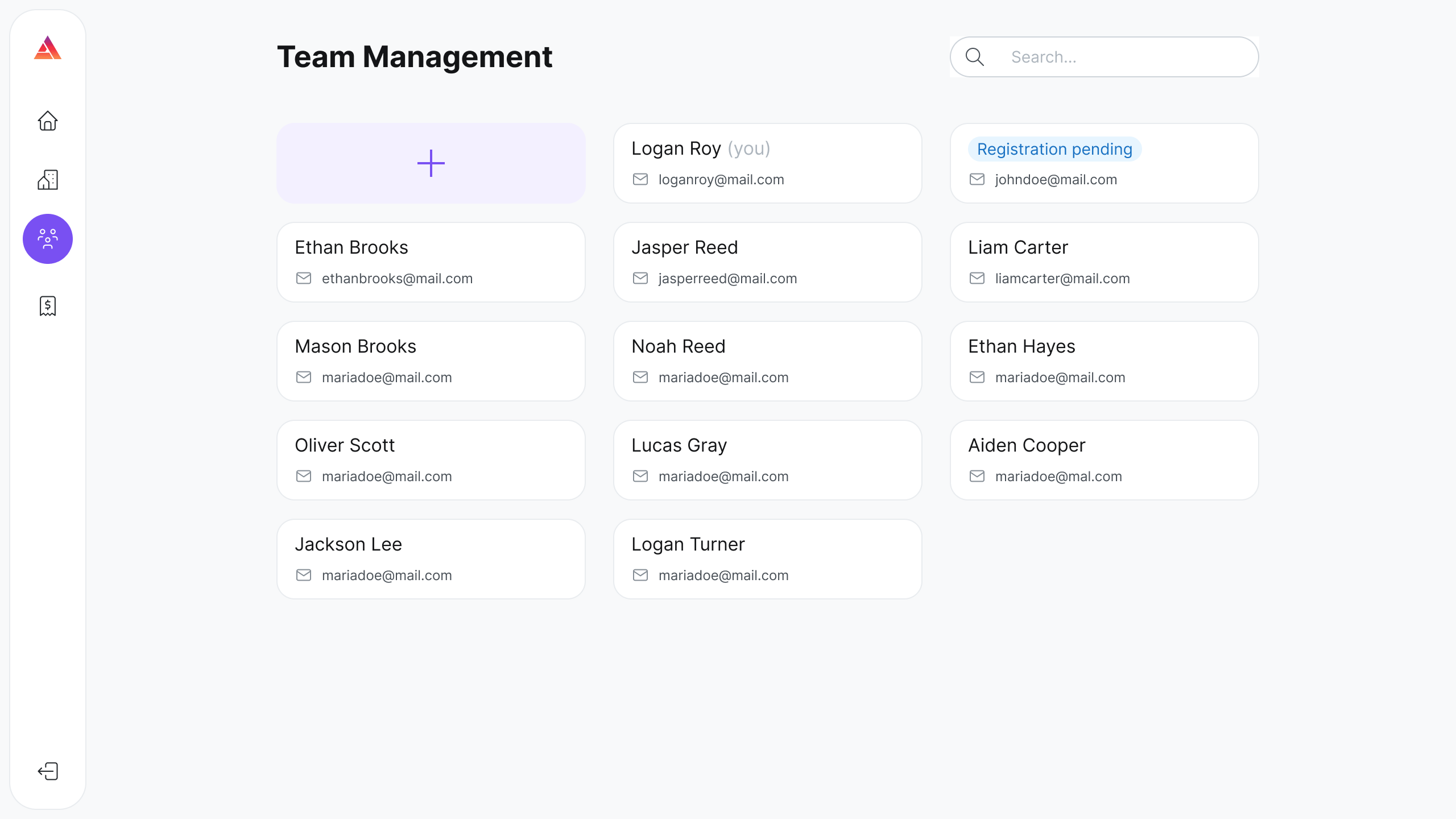
Subscription plans now include multiple seats. Invite your teammates to share the work, so you never miss an RFP.
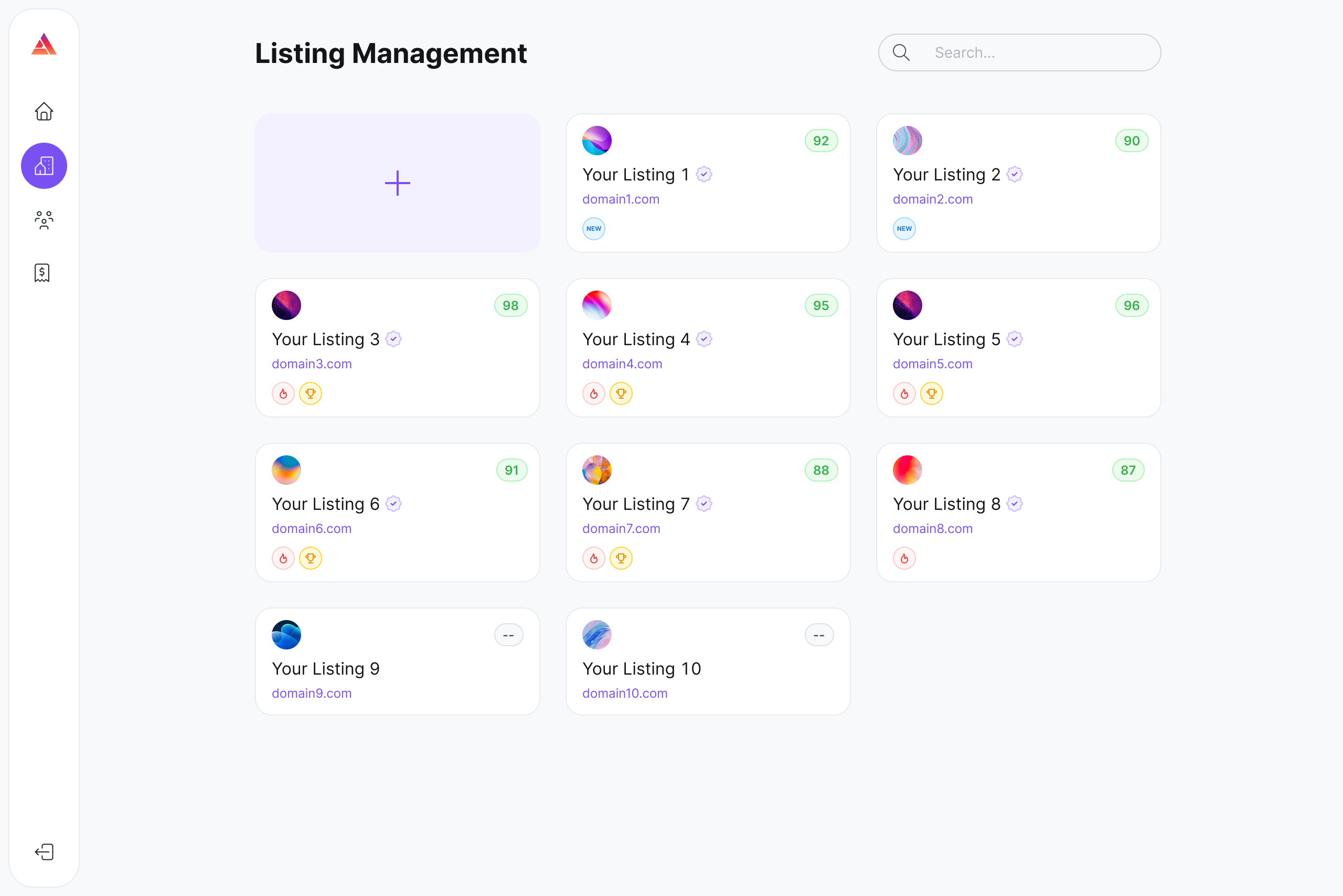
Multiple Listings
For the first time, you can show buyers all the publications or brands you own. We call these Listings. They appear in several places on the Audyence demand-side platform (DSP):
Publisher research: buyers can view details about each Listing on its Spotlight page (see below).
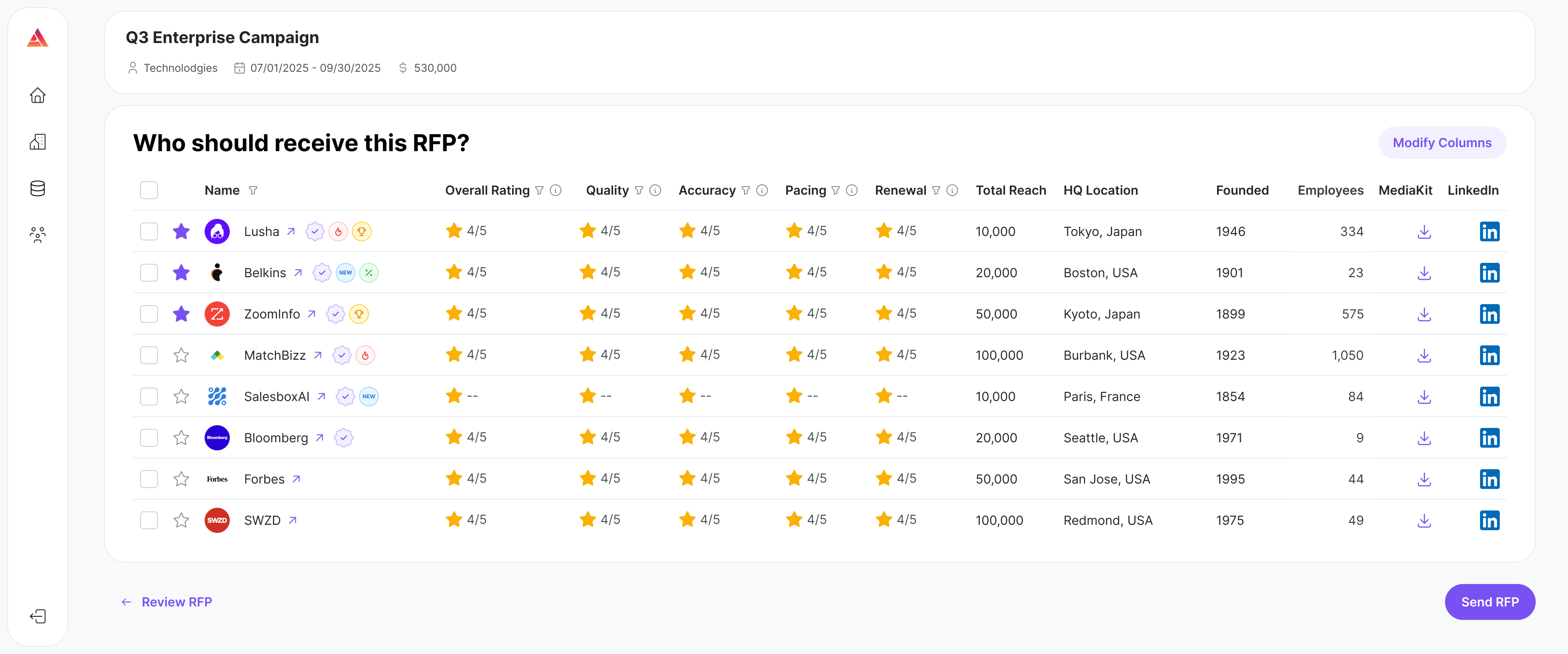
RFP selection: if you list each of your brands, each brand can be selected to receive RFPs. More brands, more chances.
Allocations: if more than one of your brands is selected for an RFP, you can send a separate proposal for each one. More proposals mean better odds of winning.
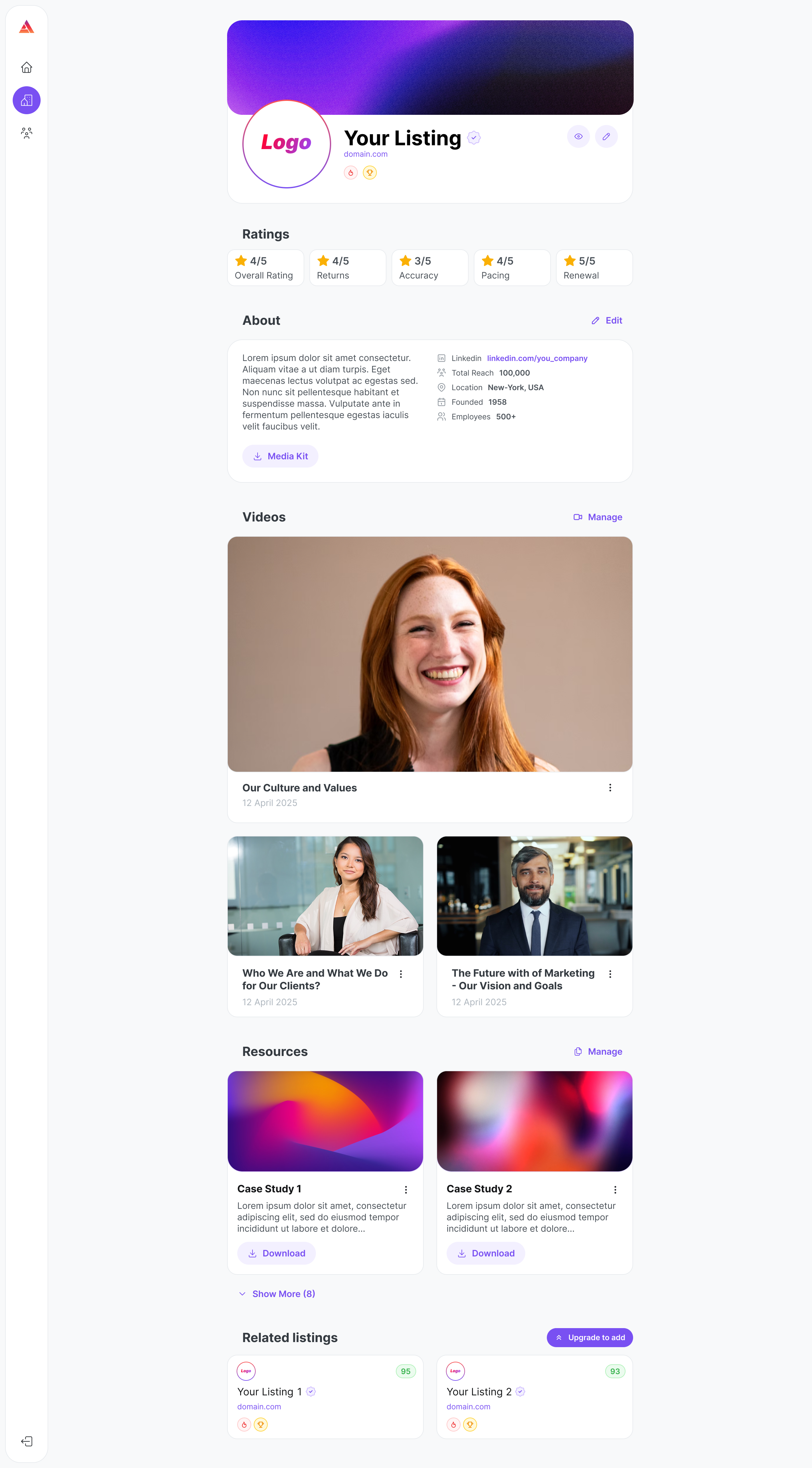
Spotlight pages
A Spotlight page tells your brand's story to buyers. For each Listing you can:
Tell your story: add a rich description of your business, mission and what makes you different.
Add your branding: upload logos and hero images.
Feature content: upload white papers, e-brochures, infographics or one-pagers that show your expertise.
Add video testimonials and case studies: embed short videos or written case studies that show real results.
Highlight related offerings: show all of your brands or publications together in one place.
Performance ratings and badges
Prescribed badges
These badges are given to you, not earned.
New: every new Listing shows the "New" badge to buyers anywhere it appears on the Audyence DSP. This draws interest and explains why other badges or ratings may not show yet.
Verified: given once your Listing passes Audyence's vetting and verification process. Current publishers who subscribe to any paid plan get the Verified badge as soon as they sign up.
Dynamic badges
These badges are earned through performance.
Top Earner: given to the top recent revenue earners
Popular Choice: given to the publishers with the most allocations recently (by number of allocations, not revenue)
Real-time ratings
Buyers see your overall performance score next to your component scores (Accuracy, Quality, Pacing and Renewal) while they evaluate publishers.
Important: You can see your own overall rating and component ratings on your Spotlight page only on the right subscription plan.
Lead rejection insights
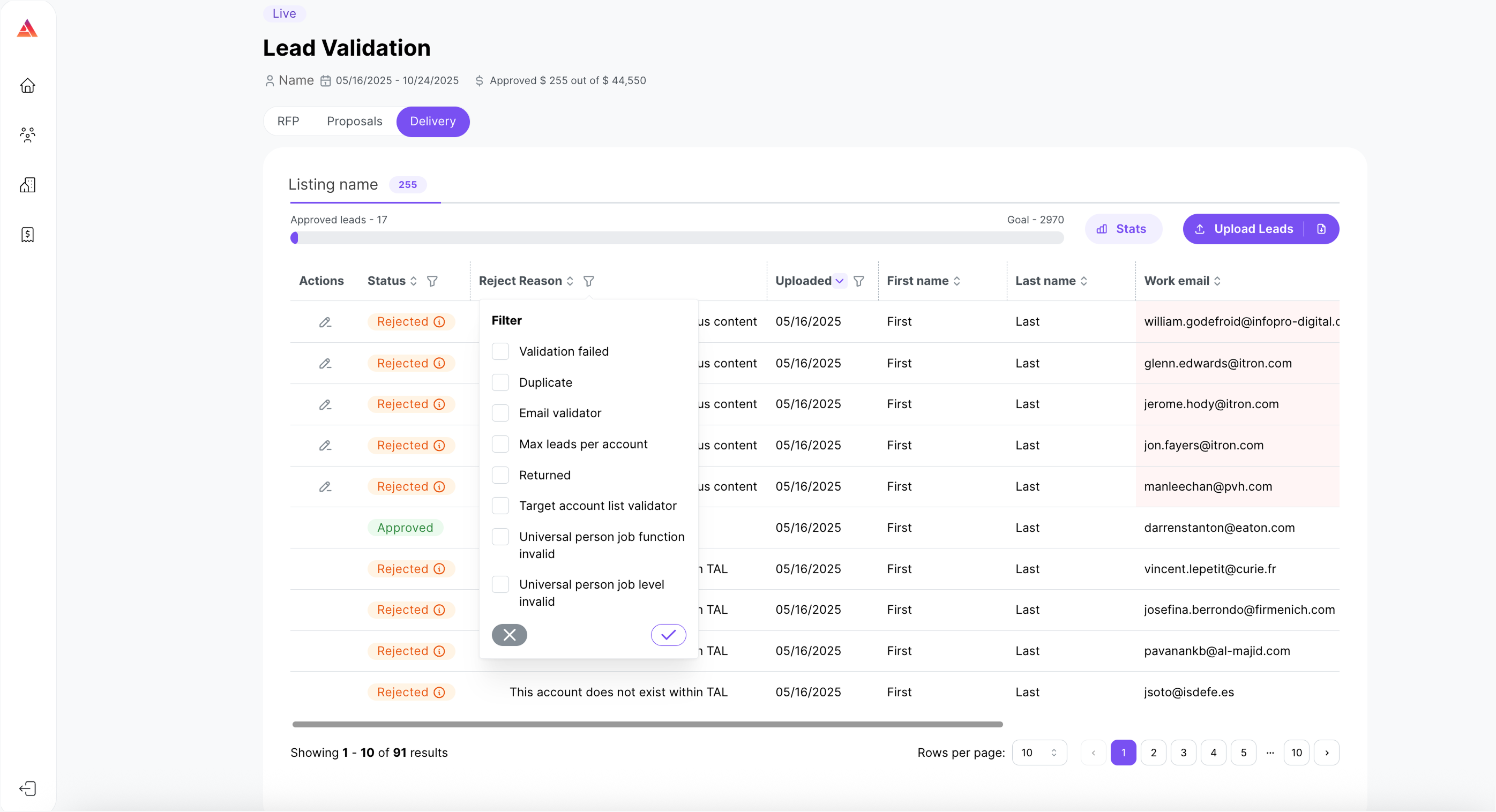
After your leads finish validation, the Lead Delivery screen shows the exact rejection reason for each rejected lead. Use it to:
Find the exact problem: see whether a lead was rejected for data errors, format mismatches or missing information.
Avoid repeat mistakes: fix your next upload right away and improve your Quality score.
Save time: spend less time troubleshooting and more time delivering good leads.
Why upgrade
More chances to win: show all your brands or publications as separate Listings.
Stand out: strong branding, good content, top performance and badges catch buyers' attention when they decide.
Build trust: video testimonials, case studies and open ratings give buyers confidence.
Improve with data: clear rejection reasons help you keep improving.
Never miss an RFP: invite teammates to help.
Get an edge: show professionalism and proven results in a crowded marketplace.
Tip: To upgrade, click Explore Pricing, or open Subscription in the left menu of your Audyence account.