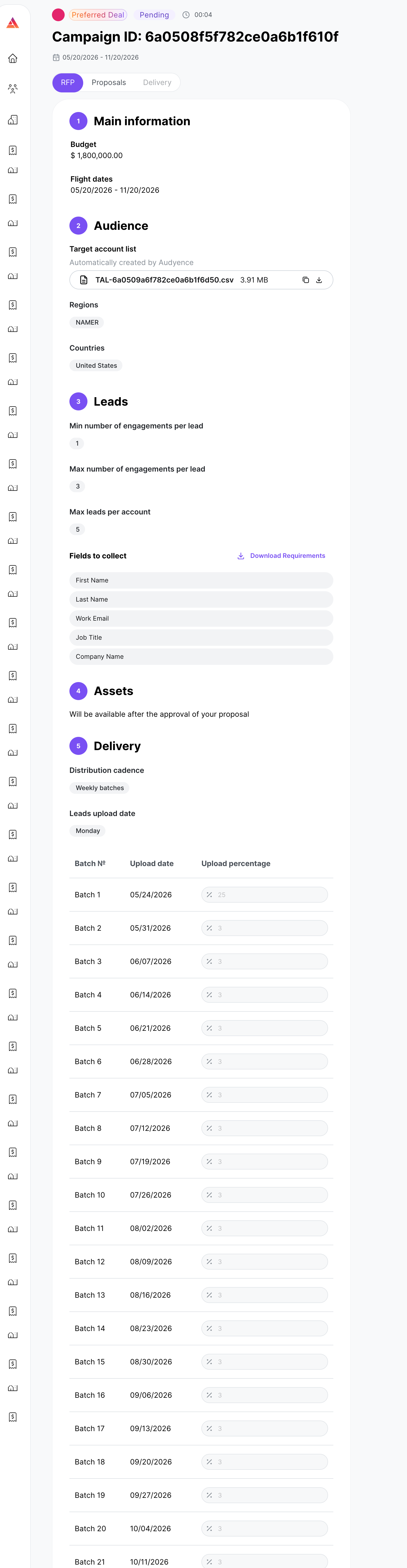
Reviewing an RFP
Last updated: November 7, 2026
What this is
Before you submit a bid, review the RFP carefully. You can only commit accurately if you understand what the campaign needs. This article explains each part of an RFP.
Key takeaway: Check the TAL, targeting, engagement rules, max leads per account, fields to collect, and delivery cadence before you bid. Leads that don't meet the RFP criteria won't be accepted, even if delivered.
Important: Leads that don't meet RFP criteria won't be accepted, even if you deliver them. Only bid on campaigns your audience truly covers.
Transaction model
Advertisers choose how they want to structure a deal:
Model | What it means for you |
|---|---|
Preferred Deal | Advertisers commit spend up front for 3+ months and set a preferred cost per engagement (CPE). You can see the total committed spend and the price needed to win. Your CPEs must stay within the deal's CPE cap. Campaigns need broad audiences, and custom questions are limited. |
Programmatic Guaranteed | Advertisers send an RFP with no spend commitment and no CPE cap. You bid on the RFP. Narrow targeting, custom qualification and smaller budgets are supported. |
Preferred Deal is the main model, and it brings steadier future campaign flow. Programmatic Guaranteed is the traditional model: the RFP comes with no bidding guidance. We recommend it to advertisers who want more targeted settings or custom options, for example to press a short-term advantage or act fast after getting an event list.
Budget
The total campaign spend available: the advertiser's maximum investment across all publishers chosen for the campaign. Your allocation is a share of this total (or all of it), decided by the auction.
TAL
The number of companies on the Target Account List. A smaller TAL means tighter targeting. If your audience doesn't cover those specific accounts well, you'll struggle to deliver quality leads.
Tip: Check your TAL overlap before bidding on small-TAL campaigns.
Targeting criteria
The audience the campaign requires:
Geography: countries or regions the leads must come from.
Company size: employee count ranges or revenue bands.
Job function: the department or business area (for example, IT, Finance, Marketing).
Seniority / job level: Director, VP, C-Suite, Manager, and so on.
Engagement rules
Setting | What it means |
|---|---|
Multi-touch engagements | Some campaigns require a lead to engage with the content more than once before it counts. The RFP says whether multi-touch is required and the minimum number of engagements per lead. |
Min / max engagements per lead | The fewest engagements a lead must complete to qualify, and the most that count toward your delivery. |
Max leads per account | The cap on how many leads you can deliver from one company. Once a company hits the cap, more contacts from it aren't accepted, however well they fit. |
Important: Engagements beyond the maximum aren't billable. Factor the per-account cap into your volume estimate, especially on small-TAL campaigns.
Fields to collect
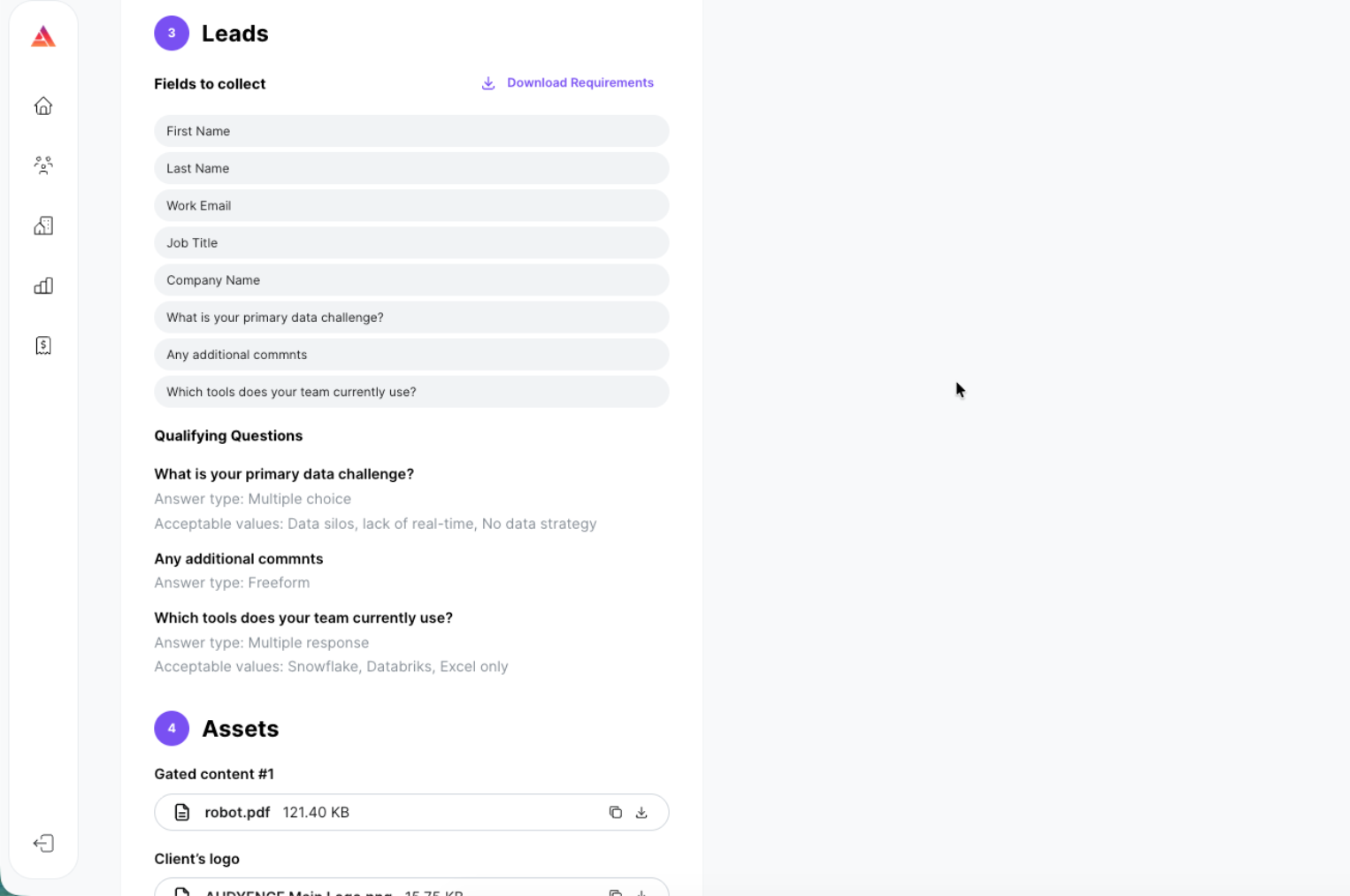
The lead data fields this campaign needs. Each field shows what's expected: pick lists (only accepted values pass validation), number-only fields, and free-text fields. You can download the full field requirements from the RFP to check accepted values and formatting before you commit.
Custom qualifying questions
Advertisers can add custom questions that qualify or disqualify someone as a lead. These are usually pick-list questions like "What's your timeline to buy a solution?" or "Are you already using an ERP solution?" They help the advertiser judge fit or where the buyer is in their journey. Your bid should account for these questions when they're included.
Preferred Deal campaigns are limited to 2 custom questions.
Programmatic Guaranteed is recommended for advertisers who want more than 2 custom questions.
Content assets
The content the campaign will promote (whitepapers, webinars, guides, and so on).
Note: Asset details and the advertiser's brand name aren't visible while you bid. They're revealed only after allocation is confirmed. Judge your fit on the targeting, industry, and content format shown in the RFP.
Delivery cadence
How and when leads should be submitted:
Near real-time: leads are delivered as they're generated, with no batching delay.
Weekly batches: leads are submitted on a set schedule with a delivery window and a committed volume per batch. The RFP states the window and the expected weekly lead volume.
Warning: Match your delivery setup to the cadence the campaign requires. Bidding on a near real-time campaign when your process is batch-based leads to pacing failures.